
AI/ML Operations
Comprehensive overview of monitoring and operations for AI infrastructure, covering GPU monitoring tools (DCGM, BCM), infrastructure monitoring (Prometheus, Grafana), cluster orchestration (Kubernetes, Slurm), power and cooling monitoring, high availability, failure scenarios, security monitoring, GPU utilization optimization, capacity planning, multi-GPU scaling strategies, lifecycle management, logging systems, and alerting best practices.

Monitoring & Operations AI Infrastructure
Observability vs Monitoring
Monitoring:
What is happening?
Observability:
Why is it happening?
- Observability includes:
- Metrics
- Logs
- Traces
Monitoring
Monitoring Layers
AI clusters are:
- GPU-dense
- Power-hungry
- Network-intensive
- Storage-dependent
Goal of monitoring:
- Maximize GPU utilization
- Detect failures early
- Prevent downtime
- Optimize performance
- Ensure thermal and power stability
AI data centers monitor multiple layers:
1. Hardware Layer
- GPU temperature
- GPU utilization
- Power draw
- CPU usage
- Memory usage
- Disk I/O
- NIC throughput
2. Network Layer
- Latency
- Packet loss
- RDMA errors
- Congestion
- Throughput
3. Storage Layer
- IOPS
- Throughput
- Latency
- File system saturation
4. Application Layer
- Training job status
- Job queue depth
- Container health
- Pod failures (Kubernetes)
1. GPU Monitoring Tools
1.1. nvidia-smi
Checking GPU status on single system
- CLI tool
- Quick GPU diagnostics
- Per-GPU statistics
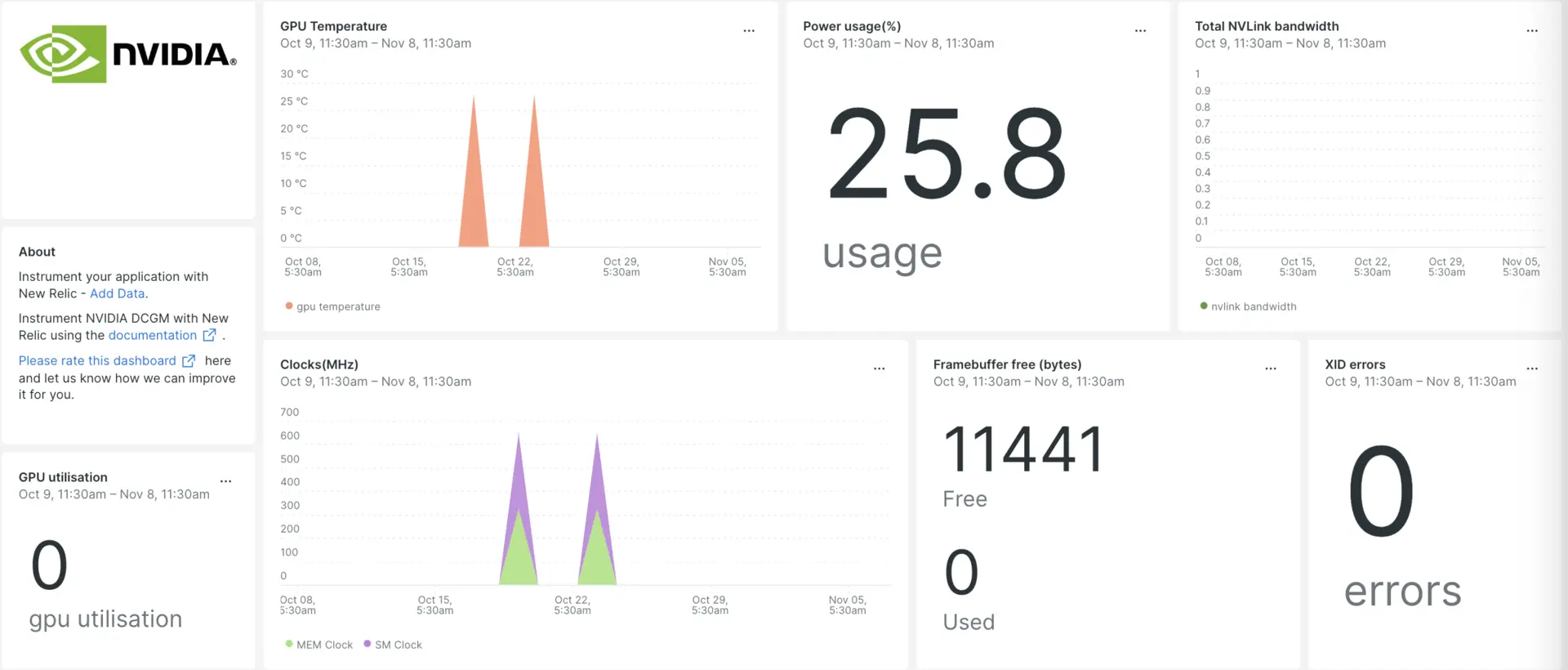
1.2 DCGM (Data Center GPU Manager)
Monitoring 10+ GPU nodes inside the operating system, at the GPU layer.
- Kubernetes Cluster level GPU Management
- Historical data collection for Health checks
- Allow adding Alerting
- Cluster-wide GPU insights
GPU-level monitoring and management:
- GPU health
- Temperature
- Power usage
- Utilization
- ECC errors
- GPU diagnostics
Used by:
- Prometheus (via DCGM exporter)
- Cluster monitoring systems
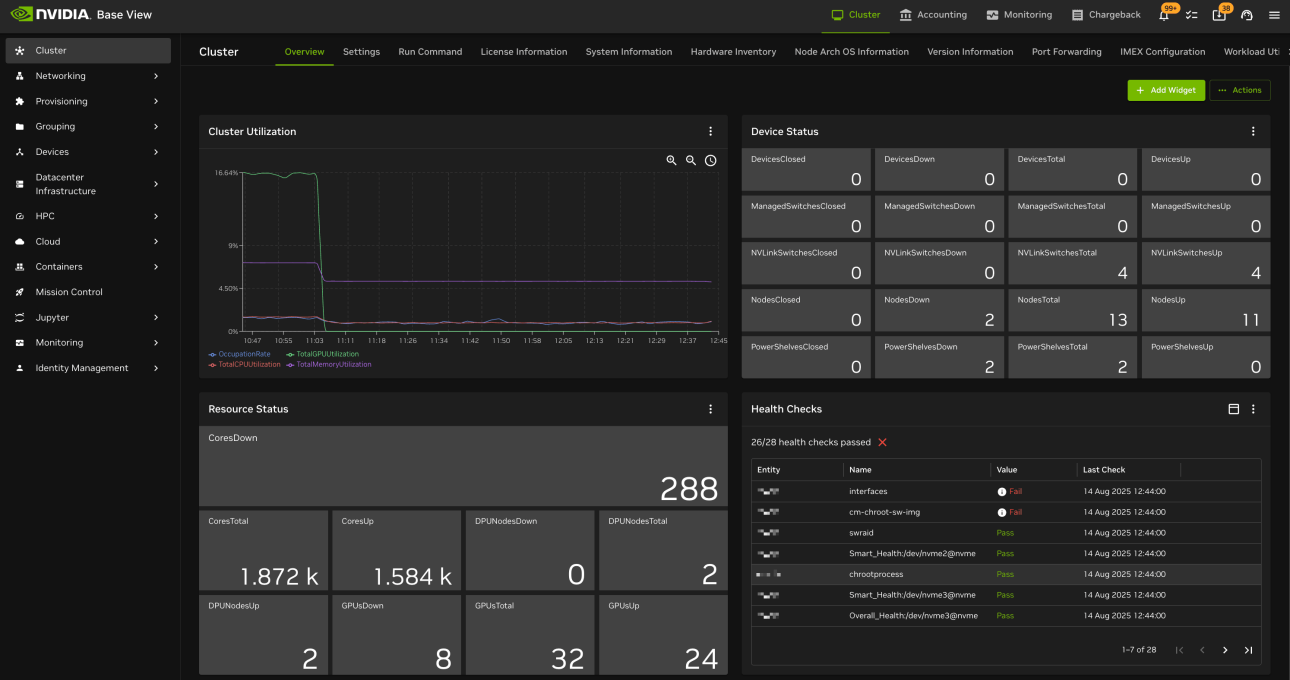
1.3 BCM(Base Command Manager)
Cluster-level GPU management and job scheduling system.
- Mange entire cluster of GPU nodes in AI Data Center
- Job Scheduling and Monitoring
- Multi Team/ User/ environment management
- Ensure Scale optimal resource allocation
- Used REST API and CLI for management
- Operates at the platform / workflow layer.
2. Infrastructure Monitoring Tools
2.1 Prometheus
Prometheus is an open-source monitoring and alerting system built for collecting time-series metrics.
- It scrapes metrics from targets at regular intervals and stores them as time-series data.
- metric_name + labels + timestamp + value eg
gpu_utilization{node="node1", gpu="0"} 92%
Key Components:
1. Exporters
Exporters expose metrics.
Common ones:
- Node Exporter → CPU, memory, disk
- DCGM Exporter → GPU metrics
- Kubernetes Exporter → Pod/node stats
2. PromQL (Query Language)
Querying time-series data for insights.
Used to:
- Calculate averages
- Detect spikes
- Aggregate across nodes -Identify trends
Example:
- Average GPU utilization across cluster
- Network errors per minute
3. Alertmanager
Triggers alerts when some threshold is breached.
Example alerts
- GPU temp exceeds threshold
- Node becomes unreachable
- Disk space low
- Packet drops increase
Alerts should be actionable, not noisy.
2.2 Grafana
Visualize and analyze metrics collected by Prometheus and other data sources.
- Visualization dashboards
- Real-time monitoring
- Alerting integration
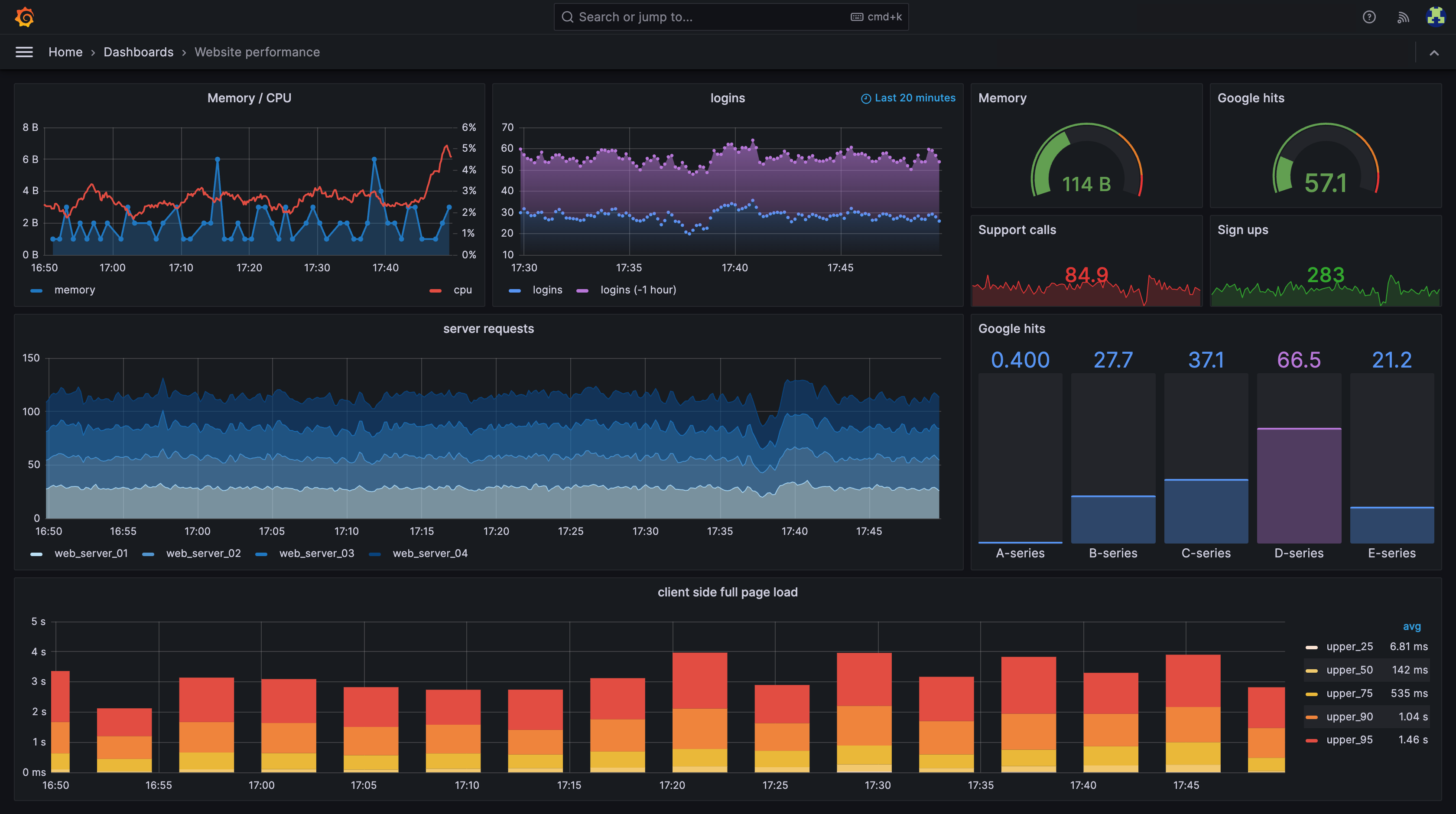
Prometheus vs Grafana (Common Confusion)
Prometheus = Collect & store metrics Grafana = Visualize metrics
Prometheus is the data engine. Grafana is the dashboard.
3 Cluster Orchestration Monitoring
3.1 Kubernetes
Kubernetes for inference clusters
- Deploy → Scale → Run continuously.
Use case:
- Model serving
- AI APIs
- Microservices
- Continuous workloads
- Auto-scaling systems
Monitor:
- Pod status
- Node health
- Resource usage
- Scheduling issues
If question mentions:
- Pods
- Replica scaling
- Microservices
- Model serving endpoint
- YAML deployment
→ Kubernetes
3.2 Slurm (Simple Linux Utility for Resource Mngt)
Slurm for training clusters
- open-source cluster resource management and job scheduling system.
- Large distributed training jobs
- Submit → Wait → Run → Finish.
Use case:
- HPC simulations
- Multi-node batch workloads
- Deterministic scheduling
- Queue-based execution
Monitors:
- Job queue
- Resource allocation
- Failed jobs
- Node states
If question mentions:
- Queue priority
- sbatch or srun
- HPC cluster
- Large multi-node training
→ Slurm
Slurm vs Kubernetes Comparison
| Feature | Slurm | Kubernetes |
|---|---|---|
| Primary Focus | Resource allocation & batch job management | Container lifecycle management |
| Workload Type | HPC, AI training, data processing | AI inference, microservices, data pipelines |
| Architecture Style | Static jobs, queued execution | Dynamic pods, continuous service |
| Execution Model | Run-to-completion batch jobs | Always-on or auto-scaled services |
| Scheduling Logic | Priority queues, resource quotas | Load balancing, replica scaling |
| GPU Integration | CUDA-aware, multi-GPU aware (GPU plugin) | GPU Operator, MIG management, DCGM metrics |
| Scalability | Scales to thousands of compute nodes | Scales container workloads across clusters |
| User Interface | CLI tools (sbatch, srun) | API-driven (kubectl, Helm, YAML) |
| Typical Users | Researchers, HPC admins | DevOps, MLOps, platform engineers |
| Best Suited For | Training phase | Inference / Serving phase |
Power & Cooling Monitoring
Power Usage Effectiveness (PUE)
standard metric for measuring data center energy efficiency, calculated as the ratio of total facility power to IT equipment power
- Lower PUE means better energy efficiency.
Formula = Total Facility Power / IT Equipment Power
- A PUE of 1.0 is ideal, meaning 100% of energy supports computing
- 1.2 → Highly efficient, close to ideal. (AWS/Google)
- Typical older data centers have PUEs between 1.5 and 2.0
- PUE > 1.0 → The higher the number, the more energy is used for overhead (cooling, power losses, etc.).
- PUI = 2 means for every 1 watt used by IT, another 1 watt is used for infrastructure.
AI clusters consume massive power.
Monitor:
- Rack power draw
- PSU health
- Cooling system efficiency
- Data center temperature
- Airflow
Failure to monitor → thermal shutdown.
Cooling Options
1. Air Colling
- Max at
30 kW per rack - Less efficient at high densities
- Lower infrastructure cost
2. Liquid Cooling
- Better for high density racks (
30–80 kW+) - More efficient heat removal
- Expensive infrastructure
High Availability (HA)
AI infrastructure should support:
- Redundant power supplies
- Redundant networking paths
- Failover nodes
- Backup storage
Single point of failure = unacceptable.
Failure Scenarios to Understand
Common failures:
- GPU overheating
- Node crash
- Network congestion
- Storage saturation
- Job scheduler deadlock
Monitoring enables:
- Rapid detection
- Root cause analysis
- Faster recovery
Security Monitoring
Includes:
- Unauthorized access attempts
- Configuration changes
- Network anomalies
- DPU isolation policies
- Role-based access control
GPU Utilization Optimization
Low GPU utilization may indicate:
- Storage bottleneck
- Network congestion
- Poor job scheduling
- Insufficient batch size
- CPU bottleneck
Operations teams investigate before scaling hardware.
Capacity Planning
Operations teams must:
- Track GPU utilization trends
- Forecast storage growth
- Monitor network saturation
- Plan rack power expansion
Goal: Avoid capacity shortages.
Multi GPU Systems: Scale Up vs Scale Out
1. Scale Up/ Vertical Scaling ⬆️
Add more GPUs per node
- NVLink for GPU-to-GPU communication
- NVSwitch for large multi-GPU systems
- Best for small clusters and single-node training
- Load Balance between GPUs is critical
2. Scale Out/ Horizontal Scaling ➡️
Add more Compute nodes with GPUs
- InfiniBand or RoCE for inter-node communication
- GPUDirect RDMA for GPU-to-GPU across nodes
- Best for large clusters and distributed training
- Load Balance across nodes is critical
Exam Scenarios to Recognize
If question mentions:
- GPU temperature spikes → Thermal monitoring
- ECC memory errors → DCGM
- Dashboard visualization → Grafana
- Metric scraping → Prometheus
- HPC job queue management → Slurm
- Container orchestration → Kubernetes
- Rack power issue → Data center monitoring
- Underutilized GPUs → Operational inefficiency
Lifecycle Management
Operations includes:
- Firmware updates
- Driver updates
- CUDA updates
- Security patches
- Hardware replacement
Change management must:
- Minimize downtime
- Be documented
- Be tested
Logging Systems
Logs provide:
- Error tracing
- Job debugging
- Security auditing
- System failure analysis
Centralized logging:
- Aggregated logs
- Searchable
- Long-term retention
Alerting Strategy
Monitoring without alerting = useless.
Effective alerts:
- Temperature threshold exceeded
- GPU ECC errors
- Node unreachable
- Disk nearly full
- Network congestion
Alerts should be:
- Actionable
- Prioritized
- Not noisy
Quick Memory Anchors
- DCGM = GPU health monitoring
- Prometheus = Metrics collection
- Grafana = Visualization
- Slurm = HPC job scheduler
- Kubernetes = Container orchestration
- Monitoring prevents GPU idle time
- Alerting must be actionable