Terraform Core Workflow & Commands
Use Terraform outside the core workflow - 14%
- 4a Describe when to use
terraform importto import existing infrastructure into your Terraform state - 4b Use
terraform stateto view Terraform state - 4c Describe when to enable verbose logging and what the outcome/value is
Core Terraform workflow - 14%
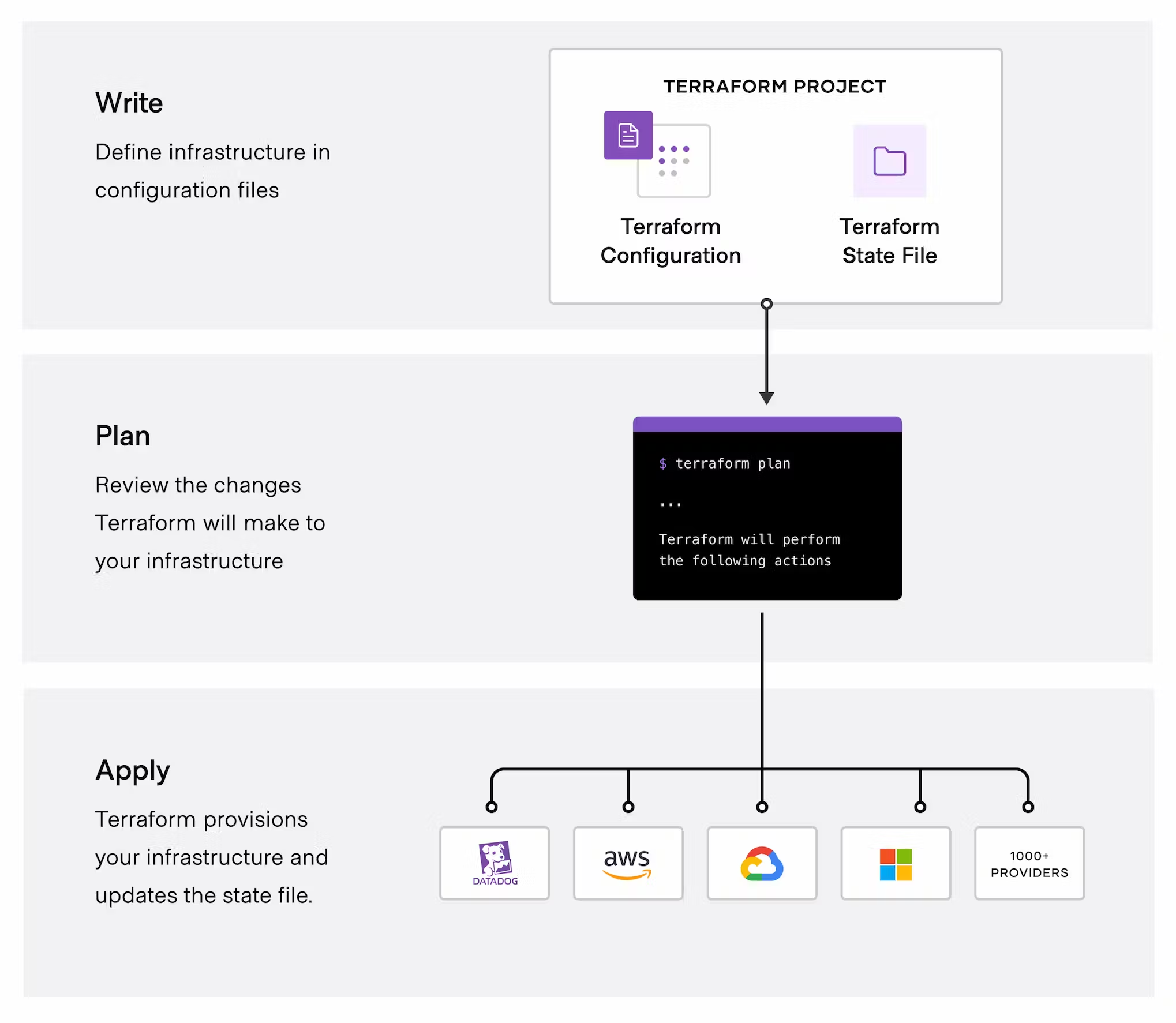
- 6a Describe Terraform workflow ( Write -> Plan -> Create )
- 6b Initialize a Terraform working directory (
terraform init) - 6c Validate a Terraform configuration (
terraform validate) - 6d Generate and review an execution plan for Terraform (
terraform plan) - 6e Execute changes to infrastructure with Terraform (
terraform apply) - 6f Destroy Terraform managed infrastructure (
terraform destroy) - 6g Apply formatting and style adjustments to a configuration (
terraform fmt)
Initialize your Terraform working directory
| command | use |
|---|---|
terraform init | initialize directory, pull down providers |
terraform init -get-plugins=false | initialize directory, do not download plugins |
terraform init -verify-plugins=false | initialize directory, do not verify plugins for Hashicorp signature |
Format and Validate Terraform code
| command | use |
|---|---|
terraform fmt | format code per HCL canonical standard |
terraform fmt -diff | display diffs of formatting changes |
terraform fmt -check -recursive | process files in subdirectories |
terraform validate | validate code for syntax |
terraform validate -json | produce validation results in JSON format to allow using the validation result for tool integrations, |
terraform validate -backend=false | validate code skip backend validation |
Plan, Deploy and Cleanup Infrastructure
| command | use |
|---|---|
terraform plan -out plan.out | output the deployment plan to plan.out |
terraform apply plan.out | use the plan.out plan file to deploy infrastructure |
terraform apply --auto-approve | apply changes without being prompted to enter "yes" |
terraform plan -destroy | outputs a destroy plan |
terraform destroy --auto-approve | destroy/cleanup deployment without being prompted for “yes” |
terraform apply -target=aws_instance.my_ec2 | only apply/deploy changes to the targeted resource |
terraform apply -var my_region_variable=us-east-1 | pass a variable via command-line while applying a configuration |
terraform apply -lock=true | lock the state file so it can't be modified by any other Terraform apply or modification action(possible only where backend allows locking) |
terraform force-unlock LOCK_ID | unlock state file |
terraform apply refresh=false | do not reconcile state file with real-world resources(helpful with large complex deployments for saving deployment time) |
terraform apply --parallelism=5 | number of simultaneous resource operations (Defualt 10) |
terraform refresh | reconcile the state in Terraform state file with real-world resources |
terraform providers | get information about providers used in current configuration |
Terraform Import And Outputs
| command | use |
|---|---|
terraform import aws_instance.new_ec2_instance i-abcd1234 | import EC2 instance with id i-abcd1234 into the Terraform resource named "new_ec2_instance" of type "aws_instance" |
terraform import 'aws_instance.new_ec2_instance[0]' i-abcd1234 | same as above, imports a real-world resource into an instance of Terraform resource |
terraform output | list all outputs as stated in code |
terraform output instance_public_ip | list out a specific declared output |
terraform output -json | list all outputs in JSON format |
Terraform workflow
TF workflow is 3 Steps
- Write: write IaC
- Plan: Preview changes before applying
- Apply: Provision Infrastructure